GBC.emu (Gameboy Emulator)
- 4.6
- Rating
- 50.00K
- Installs
- $2.99
- Price

 Analysis by App-foxy
I approached GBC.emu as a practical way to revisit Game Boy Color software rather than as a modern arcade game with its own progression system. That distinction matters: the app is an emulator, so the quality of the experience depends on how comfortably it lets you use games you already own or have legally obtained. In my experience, its appeal is strongest when I want a focused, portable session without carrying original hardware, while its value is less obvious if I expect a large built-in game library or a social arcade experience.
Robert Broglia is the developer behind this Android arcade release, which has been available since April 23, 2011. It costs $2.99, carries an Everyone age rating, and has reached over 50 thousand installs. Those details make the purchase context fairly straightforward: this is a paid utility for a specific retro platform, not a free-to-play product built around repeated spending.
What the purchase actually gives you
The short description, “GBC.emu,” is extremely brief, but the store summary identifies the central purpose clearly: Gameboy Color emulation. I would therefore judge it by the things that matter in an emulator—starting a compatible game smoothly, making controls manageable on a phone, preserving a comfortable session, and avoiding unnecessary barriers between the player and the software.
You May Also Like

 Blood Strike: 2.5 Anniversary
Blood Strike’s Loadouts Turn Every Drop Into a Tactical Gamble
A close look at Blood Strike’s custom loadouts: how fast access to signature weapons reshapes its battle royale rhythm, rewards preparation, and narrows the gap between fights.

 Pandora - Music & Podcasts
Pandora’s Music Is Easy to Start, but Harder to Recover
Pandora’s strength is its low-effort path from a seed to a station. Its weak spot is how much confidence it asks you to place in connection, setup, and quiet recovery.

 8 Ball Pool
 Is Built on Rivalries, Rematches, and Routine
A close look at the rivalries, rematches, shared routines, and unanswered safety questions that turn a quick pool match into a persistent mobile community.

 Samsung Music
’s Quiet Strength Is Playing What You Already Own
Its reach comes less from spectacle than from dependable access to a personal library. That simplicity is both the app’s strongest retention engine and its ceiling.

 AccuWeather: Weather Radar
AccuWeather Review: A Quick, Clear Forecast for Everyday Decisions
For everyday plans, the best forecast is the one you can understand quickly. AccuWeather makes rain timing, radar, and local conditions easy to act on, with a few trade-offs.

 Hill Climb Racing
Why Hill Climb Racing Still Turns Crashes Into One More Run
A tiny car, a bumpy hill and one more upgrade: Hill Climb Racing keeps resurfacing because its simple chaos makes every near-miss feel personal.
More From Our News Desk
View All News


The one-time price is important because it changes how I think about fairness. I am not being pushed toward consumable currency, paid boosts, timed energy, cosmetic purchases, or a premium ladder inside the game. There is no reason to plan a spending budget around repeated sessions. The main financial decision is simply whether a paid GBC emulator fits the way you intend to play.
That does not automatically make the app right for everyone. Someone who only wants to try one classic game for a few minutes may prefer an option already included in a broader retro collection or a platform they already use. On the other hand, a player who returns to Game Boy Color titles regularly may find a dedicated purchase easier to justify than juggling a changing selection of free apps.
I also appreciate that the age rating is Everyone, because it keeps the app itself approachable for families and younger players. The rating should not be confused with the content of every game loaded into an emulator, though. The software provides the playing environment; the individual title still determines the character of the session.
Setting expectations before the first session
The first practical question is not “What do I unlock?” but “How will I bring my own game files into the experience?” An emulator is only useful when the user has compatible, legally obtained software to run. That means this app is a poor choice for somebody expecting a ready-made catalog at launch. I would decide that point before paying, because the emulator itself is not a substitute for acquiring games.
My advice is to treat setup as part of the purchase decision. Think about where your legally owned files are stored, whether you can move them to the device, and whether you are comfortable selecting them from a file browser. This workflow is less immediate than opening a conventional mobile game, but it also gives the experience a more personal library feel.
Another useful habit is to test one familiar title first rather than importing everything at once. A short trial session lets you judge the screen layout, touch response, sound, and general comfort before spending time organizing a larger collection. If the controls feel awkward with one game, more files will not solve that underlying issue.
Progress is different when the app is an emulator
Traditional arcade games often create pressure through scores, lives, unlockable stages, or increasingly difficult runs. GBC.emu does not need to manufacture that pressure. The progress comes from the games you load, so a role-playing adventure, a puzzle title, and a platformer will each feel completely different even though they use the same emulator.
That flexibility is one of the strongest reasons to choose this kind of app. I can use it for a brief puzzle session during a commute, then return to a longer adventure when I have more time. The emulator does not force me into a daily reward schedule or ask me to maintain a streak. For me, that makes it better suited to relaxed, self-directed play than many current mobile arcade releases.
The trade-off is that the app cannot rescue a game that was never designed for short mobile sessions. Some older titles expect patience, repeated attempts, or remembering where you left off. If I am tired and want instant feedback, a contemporary mobile game may feel more convenient. If I want to continue an older adventure at my own pace, the emulator is more appealing.
I would also avoid assuming that every game will feel equally comfortable. A title that mainly uses a directional pad and two action buttons can translate naturally to a touchscreen. A game that demands rapid combinations, precise timing, or long stretches of button holding may expose the limits of virtual controls. That is not necessarily a defect in the emulator, but it is a real difference from original hardware or a physical controller.
Practical ways to make longer sessions easier
My first tip is to hold the phone in the orientation that gives the controls enough room without making the game screen feel cramped. The best arrangement depends on the title and the device, so I would adjust it before beginning a difficult section rather than during one. Small changes in thumb position can make a surprising difference in games that require repeated directional input.
Second, I would reserve a little time for organizing files and identifying them clearly. A tidy library is more valuable than a large one when I am using an emulator. Clear names make it easier to resume the correct game, especially when several titles share similar filenames. This is a simple workflow improvement, but it prevents the experience from turning into repeated searching.
Third, I would use the app for the kind of session it handles best: focused play with a known title. I would not install it expecting it to replace every retro device, every controller, and every modern mobile game at once. Its strength is concentration on one classic handheld platform, not universal compatibility across every old system.
These points also explain why I would not recommend buying it solely because the rating looks positive. The app has a 4.6 average from around 1.1 thousand ratings, plus 237 written reviews, which suggests that many users are satisfied. Still, emulator comfort is personal. Screen size, touch habits, preferred genres, and willingness to manage files all matter more to me than a single overall score.
Fairness, alternatives, and the limits worth knowing
I weigh GBC.emu most fairly by separating what an emulator can do from what the phone, game files, and controls bring to the session. That makes it easier to compare a dedicated Game Boy Color tool with free emulators, multi-system apps, or original hardware without treating any one choice as best for everyone. The same practical trade-offs also shape how I judge its reliability in everyday use.
A fair purchase, but not a complete retro package
From a spending perspective, the app feels refreshingly uncomplicated. I pay $2.99 for the emulator rather than entering a cycle of optional purchases. There is no competitive economy for me to exploit or fall behind in, and no advantage appears to come from spending more after the initial purchase. That is a meaningful contrast with many arcade games that place monetization directly between the player and continued play.
However, “fair” does not mean “free of practical costs.” I still need compatible games, a device that is comfortable for touch controls, and enough patience to handle the setup. If I already own a suitable handheld and enjoy its physical buttons, the emulator may not improve my experience enough to justify changing habits. If I want a polished catalog with minimal configuration, a curated retro collection may be a better fit even if it offers less flexibility.
There is also a difference between paying for a tool and paying for content. The purchase gives me the emulator, not a promise that every game I want will be ready to play. That is an important distinction for younger users and for anyone buying on behalf of a family member. I would explain it clearly before recommending the app: this is a platform for running compatible Game Boy Color software, not a bundle of games.
How it compares with the usual choices
Against original hardware, GBC.emu wins on convenience. A phone is easier to keep nearby than a separate handheld, and digital organization can be quicker than searching through cartridges. Original hardware still has the advantage of physical controls and a more authentic tactile feel. For demanding action games, that difference may outweigh the convenience of carrying one device.
Against free emulators, the paid model can be attractive if I prefer a direct purchase and want to avoid evaluating several similar apps. Yet a free alternative may be sensible for a casual user who is uncertain about the platform. The question is not simply which app costs less; it is whether I value a dedicated, paid tool enough to stop searching.
Against modern mobile games, the comparison is even more personal. GBC.emu does not offer the instant onboarding, touch-first design, or constant content stream of a current mobile release. What it offers instead is access to an older style of game design, often built around self-contained experiences rather than notifications and recurring purchases. I would choose the emulator when I want that older rhythm, not when I want a game designed around a phone from the beginning.
Finally, against a broader multi-system emulator, this app’s focus can be either a benefit or a limitation. If my interest is specifically Game Boy Color, a narrower tool may feel cleaner than a large interface filled with systems I never use. If I want one application for several consoles, I would look elsewhere. Specialization is useful only when it matches the library I actually plan to play.
Questions I would answer before recommending it
Is it suitable for a complete beginner? Yes, if the beginner understands that an emulator is a player for legally obtained game files rather than a game store. The app’s purpose is easy to grasp, but file handling and touch-control adjustment may still require a little patience. I would recommend starting with one familiar title and learning the basic workflow gradually.
Can it replace a physical Game Boy Color? It can replace some of the convenience, but not the complete feeling. A phone is more portable in everyday life, while original hardware offers buttons, a distinct screen character, and a dedicated gaming identity. My choice would depend on whether I value accessibility or authenticity more for the games I play.
Is it a good option for competitive play? I would be cautious. There is no reason to treat the app as a competitive online service, and touchscreen controls can be a disadvantage in games that demand quick, exact inputs. For personal records or relaxed challenges it may be enjoyable; for serious competition, physical controls and a controlled setup would be preferable.
Will every session be equally convenient? No. Short, menu-light games should be easier to pick up than lengthy titles that require careful progress management. The emulator gives me flexibility, but the loaded game still determines how much preparation and attention the session needs.
Who should skip the purchase? I would skip it if I want a built-in library, dislike managing files, need modern multiplayer features, or mainly play games that depend on precise physical controls. I would also skip it if my interest in Game Boy Color is only a passing curiosity and I already have a simpler way to sample the platform.
My trust verdict after weighing the trade-offs
The strongest case for GBC.emu is its clarity. It is a paid Android arcade emulator from Robert Broglia, aimed at people who specifically want to play Game Boy Color software on a mobile device. The purchase is easy to understand, and the absence of recurring game spending makes it feel more honest than many modern arcade products.
Its weaknesses are equally clear. The app does not remove the need to obtain compatible games legally, and virtual controls will never suit every genre or every player. The experience also depends on how much effort I am willing to put into setup and organization. Those are not reasons to dismiss it, but they are reasons to avoid buying it impulsively.
With over 50 thousand installs and a 4.6 average, it has attracted a substantial audience for such a focused tool. I see that as encouraging, but my recommendation remains conditional rather than automatic. I would recommend GBC.emu to a retro player who already has a Game Boy Color library, wants a one-time purchase, and accepts the compromises of phone controls.
For me, the app succeeds when I use it as a convenient doorway back to a specific handheld era. It is not trying to be a modern content platform, a competitive arcade network, or a universal emulator. If that focused purpose matches what you want, the $2.99 purchase is easy to understand and potentially worthwhile. If you want everything ready immediately, a physical handheld or a curated collection will probably offer a smoother first experience.
FAQs for GBC.emu (Gameboy Emulator)
01What is GBC.emu, and which Game Boy systems does it emulate?
GBC.emu is an Android emulator designed primarily for playing games released for the original Game Boy, Game Boy Color, and compatible Super Game Boy titles. After installing the app, you load legally obtained ROM files from your device storage rather than downloading games inside the emulator. Its focus is accurate emulation, practical controls, save support, and useful configuration options for retro gaming.
02Does GBC.emu include Game Boy games, or do I need to provide ROM files?
GBC.emu does not normally include commercial Game Boy or Game Boy Color games. You need to provide your own ROM files, ideally dumped from cartridges that you own and are legally permitted to use in your region. The application can scan or browse folders on your device, but it is not a game store and should not be treated as a source for downloading copyrighted ROMs.
03How well does GBC.emu perform on Android phones and tablets?
Performance is generally very good on modern Android phones and tablets because Game Boy hardware is considerably less demanding than newer console systems. In testing, compatible games typically run smoothly with responsive audio and stable frame rates. Results can still vary according to your device, Android version, power-saving settings, and emulator configuration, especially when using filters, shaders, or demanding visual enhancements.
04What controls and features are available in GBC.emu?
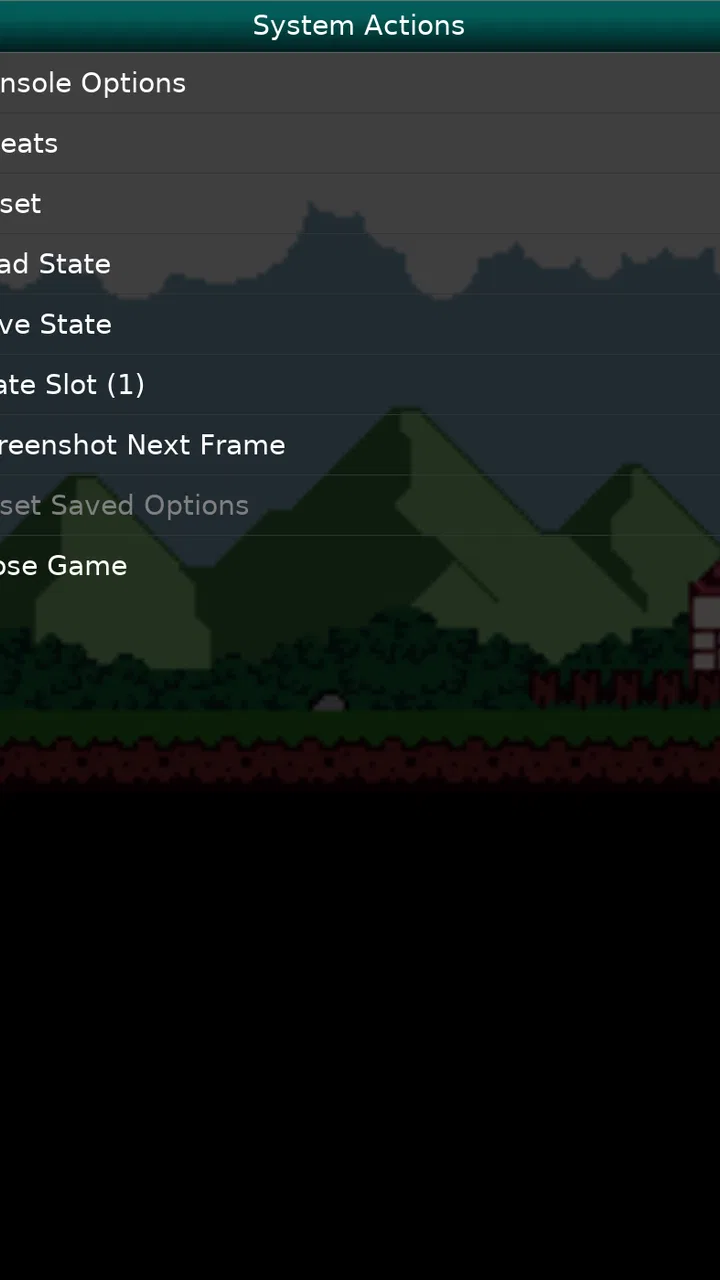
GBC.emu provides an on-screen control layout with a directional pad, face buttons, and the Start and Select buttons required by Game Boy games. You can usually adjust the virtual controls and use compatible physical controllers or keyboards for a more authentic experience. The emulator also supports features such as save states, customizable display settings, fast-forward options, and screen orientation choices, depending on the version.
05Is GBC.emu safe to download, and is it available for iPhone or iPad?
GBC.emu is an Android-focused application, so availability on iPhone and iPad may be limited or nonexistent through the official iOS App Store. For safety, download it only from a reputable and verified source, check the developer information, and avoid modified APK files from unknown websites. Before installing, review requested permissions and confirm that the version is compatible with your Android device.
Pros
- Accurate Game Boy
- Color
- and Super Game Boy emulation
- Supports save states for quick progress recovery
- Customizable on-screen controls and external controller support
- Fast-forward and frame-rate options improve gameplay flexibility
- Low battery usage on most modern Android devices
Cons
- Paid app with no free trial version
- Designed mainly for Android
- with no official iOS release
- Touch controls can feel cramped on smaller screens
- Initial setup may be confusing for users unfamiliar with emulators
- Game files are not included and must be obtained legally

GBC.emu (Gameboy Emulator)
Gallery